Higgsfield AI is an advanced generative AI (GenAI) platform tailored specifically for digital content creators, influencers, and marketers, focusing on producing character-centric dynamic videos and hyper-realistic imagery.
Its primary differentiator from standard video generation tools (like Sora, Runway, or Pika) is its proprietary architecture known as the “Pose-Latent Transformer.” This technology solves chronic AI video issues such as characters remaining stiff like robots, loss of facial expressions, or overly artificial movements. It can seamlessly apply complex motions—like dancing, head-turning, waving, or shifting expressions and emotions—to a static photo or character with absolute consistency.
Key Features
- Advanced Motion Synthesis: Generates videos featuring Hollywood-style cinematic camera pans and lighting while perfectly preserving the character’s facial traits, attire, and physical properties across scene transitions.
- Image-to-Video & Pose Sketches: You are not limited to just text prompts. You can generate videos by uploading a static image or providing a basic sketch (pose skeleton) of the exact motion you want the character to perform.
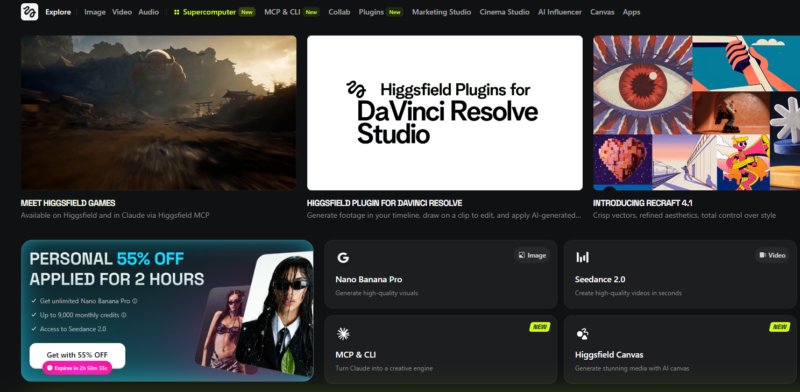
- Unified Ecosystem (Adobe Integration): Higgsfield integrates directly into professional editing suites like Premiere and After Effects through five distinct plugins (Background Removal, Reframe, Sketch-to-Edit, etc.). It also functions as an underlying infrastructure engine within AI agents like Claude or Cursor, enabling asset generation without leaving the chat window.
- Rich Model Library: It natively hosts over 30 industry-leading GenAI models, including Nano Banana, Kling 3.0, and Seedance 2.0.
How to Use It?
Higgsfield is incredibly straightforward to use. You can try it either via a web browser or through its Discord communities:
- Go to the official higgsfield.ai website and create an account using your email address.
- From the dashboard, select the content type you want to create (Image or Video).
- If generating video from text, write a detailed description (e.g., A cyberpunk character dancing in Tokyo streets at night, neon lights…).
- If you have an existing character or image, upload it as a reference under the “Image to Video” section and define the motion using text prompts or sketches.
- Choose the AI model you want to deploy (e.g., Kling or Nano Banana) and hit generate.
Is It Free? (Pricing Model)
Yes, a completely free starter plan (Free Tier) is available to test the platform and explore its core capabilities. You will receive free trial credits upon signing up; however, videos generated on the free tier contain watermarks and cannot be used for commercial purposes.
If you need to produce content regularly and access advanced models, Higgsfield offers monthly credit-based subscription tiers:
- Basic Plan ($5 – $9/mo): The entry-level option. It provides roughly 70 credits per month—ideal for generating images with Nano Banana models or a limited number of videos via Kling.
- Pro / Plus Plan ($29 – $49/mo): Unlocks all advanced architectures (Kling 3.0, Nano Banana 2 Unlim, etc.). It delivers between 600 and 1,000 monthly credits and allows you to queue up to 3 videos and 4 images simultaneously.
- Max / Ultra Plan ($79 – $129/mo): Designed for high-volume production houses and studios. Offers 4K resolution support, thousands of credits, and collaborative team workspaces.